
Table of Contents
Introduction:
New to networking? IP address problems can slow you down quickly. Devices fight for a limited address space, labs stop working, and troubleshooting becomes confusing. This is where understanding IPv4 vs IPv6 addressing makes a real difference. IPv4 is old and running out of space, while IPv6 is new and practically unlimited. Students in India experience this daily during networking labs and CCNA practice sessions.
This guide breaks down IPv4 addressing, explained from scratch, IP address classes, subnetting IP address, and public IP vs private IP in a clear, simple way. By the end, you will understand how modern networks work and why IPv6 is the future.
What You’ll Learn
- Easy and clear IPv4 vs IPv6 fundamentals
- IP address classes explained with simple examples
- Subnetting IP address concepts step by step
- Real-world use of public IP vs private IP
- IPv6 transition basics and learning guidance
IPv4 Addressing Explained from Scratch
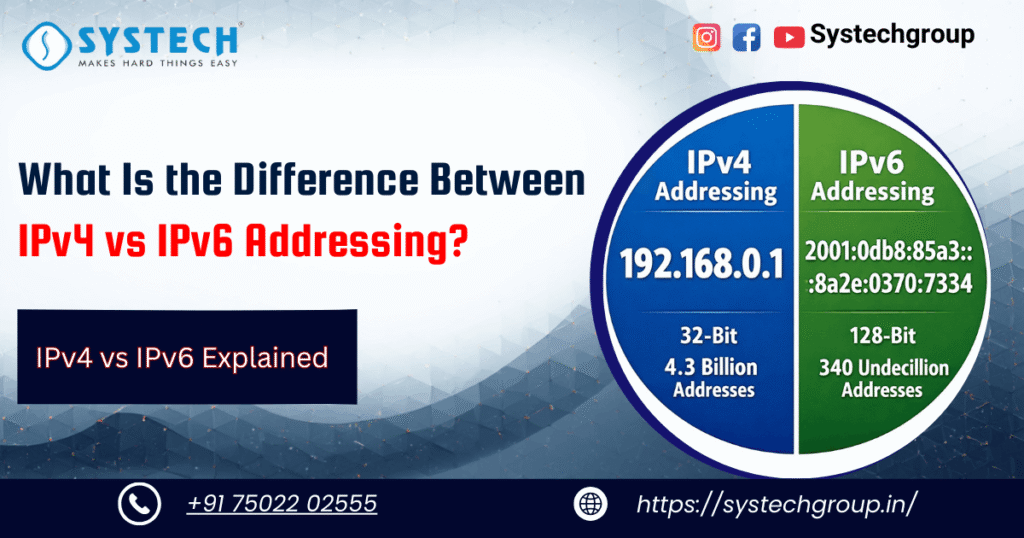
IPv4 stands for Internet Protocol version 4. It is the most widely used addressing system in computer networks. IPv4 uses 32 bits, which equals 4 bytes, to identify devices uniquely on a network. These bits are divided into four parts called octets and written in dotted decimal format such as 192.168.1.1. Each octet can have a maximum value of 255.
The total number of IPv4 addresses is: 2³² = 4,294,967,296
Initially, this felt like more than enough. But today, with smartphones, laptops, servers, cloud platforms, and smart devices, IPv4 addresses are no longer sufficient.
A simple daily example of IPv4 addressing explained is your mobile phone. When it connects to Wi-Fi, your router assigns it an address like 192.168.1.100, allowing it to communicate with other devices and the internet.
IPv4 Packet Structure Made Simple
An IPv4 packet consists of two main parts: a header and data. The header contains essential routing information, while the data carries the actual message.
Important IPv4 header fields include:
- Version – Always set to 4
- Total Length – Size of the packet
- TTL (Time to Live) – Limits how many hops a packet can take
- Header Checksum – Detects errors in the header
Think of an IPv4 packet like a postal letter. The header is the address and stamp, while the data is the letter content.
IP Address Classes Made Simple
To manage IPv4 addresses efficiently, engineers introduced IP address classes. These classes divide addresses based on the value of the first octet and define how many networks and hosts are available.
- Class A ranges from 1 to 126 and uses a /8 mask. It supports millions of hosts, but wastes addresses for small networks.
- Class B ranges from 128 to 191 with a /16 mask and supports around 65,000 hosts.
- Class C ranges from 192 to 223 with a /24 mask and supports 254 hosts, making it the most commonly used class.
- Class D is used for multicast traffic such as live video streaming.
- Class E is reserved for research and experimental purposes.
Example:
IP address classes helped early routers function efficiently. Today, classless addressing is preferred, but understanding classes is essential for learning fundamentals.
Class | Network Example | Default Mask | Hosts |
|---|---|---|---|
A | 10.0.0.0 | 255.0.0.0 | 16M |
C | 192.168.1.0 | 255.255.255.0 | 254 |
Why IP Address Classes Caused Problems
The fixed size of IP address classes created inefficiencies. Class C networks were too small for organizations needing a few hundred devices, while Class B networks were too large and wasted thousands of addresses. This problem pushed the need for subnetting and CIDR.
Subnetting IP Address Step by Step
Subnetting an IP address means dividing a large network into smaller, logical networks. This improves performance, security, and address usage.
Subnetting is useful because it:
- Reduces broadcast traffic
- Improves network security
- Organises devices by departments or functions
Consider the network 192.168.1.0/24. If you need 8 subnets, you borrow 3 bits because 2³ = 8. This creates a new mask of /27 with a block size of 32 addresses.
Subnet ranges look like:
192.168.1.0 – 31
192.168.1.32 – 63
192.168.1.64 – 95
- Each subnet provides 30 usable hosts after excluding network and broadcast addresses.
- Subnetting IP address knowledge is critical for IPv4 addressing, as explained in the concepts and CCNA exams.
Common Subnetting Mistakes
Beginners often make errors while subnetting. Common issues include:
- Forgetting network and broadcast addresses
- Incorrect block size calculation
- Using wrong subnet masks
- Skipping binary logic
Practicing with formulas like 2ⁿ helps avoid these mistakes.
Public IP vs Private IP Explained Clearly
Understanding public IP vs private IP explains how devices access the internet.
A public IP address is globally unique and assigned by an ISP. It allows devices like websites and servers to be reachable from anywhere in the world.
A private IP address is used within local networks and can be reused across multiple networks. Private IP ranges defined by RFC 1918 include:
- 10.0.0.0/8
- 172.16.0.0/12
- 192.168.0.0/16
Routers use NAT (Network Address Translation) to convert private IPs into public IPs. This allows hundreds of devices to share a single public address.
| Aspect | Public IP | Private IP |
|---|---|---|
|
Cost |
Paid |
Free |
|
Visibility |
Internet-accessible |
Local only |
|
Example |
Web server |
Home PC |
Public IP vs private IP understanding extends the life of IPv4.
IPv6 Addressing Explained
IPv6 was designed to solve IPv4 exhaustion. It uses 128-bit addresses, providing an almost unlimited address space. IPv6 addresses use hexadecimal values separated by colons, such as:
2001:db8::ff00:42:8329
IPv6 address types include:
- Global unicast – Internet-reachable
- Link-local – Local network only
- Unique local – Private-like addressing
IPv6 supports automatic address configuration and usually removes the need for NAT.
IPv4 vs IPv6 Full Comparison
| Feature | IPv4 | IPv6 |
|---|---|---|
|
Address size |
32-bit |
128-bit |
|
Format |
Dotted decimal |
Hexadecimal |
|
IP address classes |
Yes |
No |
|
Subnetting |
Complex |
Simple |
|
NAT |
Common |
Rare |
IPv6 provides faster routing and better performance for modern mobile networks.
Transition Strategies from IPv4 to IPv6
Networks move to IPv6 using methods like:
- Dual-stack deployment
- Tunneling mechanisms
- NAT64 translation
In India, organisations like TRAI actively promote IPv6 adoption.
Practical Networking Training with Real-World Focus
Conclusion
Understanding IPv4 vs IPv6 highlights the limits of IPv4, the role of IP address classes, and the importance of subnetting IP address concepts. IPv6 solves scalability issues and prepares networks for the future. Mastering public IP vs private IP fundamentals builds strong troubleshooting skills. Learning both protocols is essential for networking success.
Looking to learn IPv4 and IPv6 the right way?
FAQs:
They protect systems from cyber threats, maintain compliance standards, and secure customer trust, acting as the spine of modern enterprises.
192.168.1.0/24 is a Class C network.
Splitting /24 into /26 creates 4 subnets with 62 hosts each.
Private IPs inside the network, public IP outside via NAT.
Yes, both are essential topics.
Latest Articles

Django User Authentication Tutorial for Secure Login and Registration Systems
Reading Time: 14 minutesTable of Contents Introduction Why do many...
Read More
Java Exception Handling Explained for Understanding Errors and Handling Them Efficiently
Reading Time: 17 minutesTable of Contents Introduction Have you ever...
Read More
What Are the Types of Digital Marketing? A Complete Guide for Beginners
Reading Time: 17 minutesTable of Contents Introduction Are you trying...
Read More
10 Powerful Ethical Hacking Techniques Every Cybersecurity Beginner Should Know
Reading Time: 15 minutesTable of Contents Introduction Cyber attacks have...
Read MoreLocate Your Nearest Systech Training Centre in Tamil Nadu
- No.129, Aruvi Block, 1st Floor, St. Paul's complex, Bharathiyar Salai, Cantonment, Trichy - 620001
- +91 75022 02555
- contact@systechgroup.in
-
No.204, Ajay building, 9th street, cross cut road, Gandhipuram, Coimbatore
- 641012 - +91 75022 02555
- contact@systechgroup.in
- 607/2A,Thilakavathy Complex, Mudichur Road , Krishna Nagar, West Tambaram, Chennai - 600045
- +91 75022 02555
- contact@systechgroup.in