
Table of Contents
Introduction
It is pretty common for digital marketers to deal with content in many formats daily. They usually manage campaign data, reports, screenshots, scanned files, and visual data that are often received as images or PDFs. These formats don’t allow editing or copying information. The workflow gets slowed down when you don’t know how to extract text from such formats.
This is where the OCR (Optical Character Recognition) tools can make a difference. They help marketers turn images or PDFs into editable text files to improve content workflows. However, choosing the right one can be tough, as nearly every tool claims to perform accurately.
With this in mind, I’ve made a list of some reliable tools that you can consider for your file conversion tasks. Let’s explore more about them in detail:
Top OCR-Based Conversion Tools
The following are some quick and effective tools that can help digital marketers convert images or PDFs into an editable format.
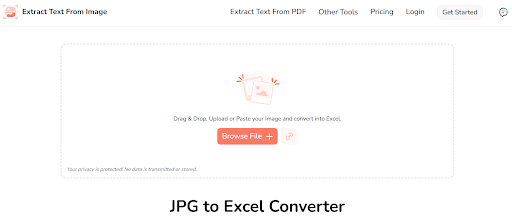
This OCR-based tool helps convert images containing tables or numeric data into editable Excel sheets.
Marketing teams often receive tabular data as screenshots or scanned images. To extract or edit data from them, they have to manually type data into Excel, which takes time and effort. Also, it increases the chances of errors. However, they can use this tool to convert image-based tables directly into Excel sheets. This allows marketers to analyze data, update reports, or share the extracted spreadsheet with other team members.
Key Features
- Supports multiple languages
- Preserves rows and columns
- Allows conversion through image URL
- Browser-based processing
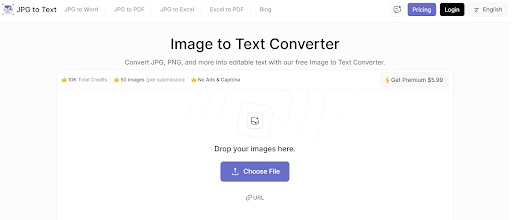
This tool helps convert text images into an editable form. It works with screenshots, scanned documents, and even handwritten text saved in image format.
Marketers often receive content in image format. This can include scanned reports, projects details, infographics, or screenshots. To use this information, they have to manually type it. This consumes a lot of time and increases the chances of errors.
This tool allows converting data from images into editable text quickly. It helps save time and effort and reduces mistakes.
Key Features
- Offers support for multiple image formats, including JPG, JPEG, or PNG
- Editable output
- Quick access, no installation required
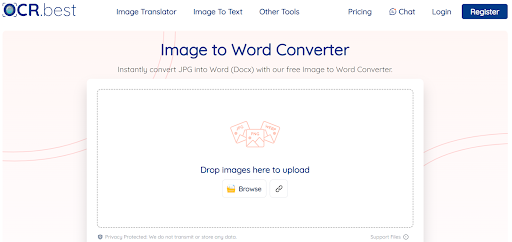
This online tool can convert images into Word documents. It keeps the text formatting intact by using OCR recognition.
Marketing teams usually receive campaign drafts, scanned contracts, and content briefs in the form of images. These image files often end up scattered across emails and messaging apps, which makes it hard to locate a specific image when it is needed urgently.
JPG to Word Converter helps solve this by turning all those images into a single Word file. Digital marketers can save all the relevant images for a particular marketing campaign in a single DOC file. This way, all the images will stay organized. Also, it will make it easier to review and share the right image files with team members without digging through multiple places.
Key Features
- No installation or signup required
- Editable document
- Watermark free, ensuring a professional look
- Simple upload process
- Supports multiple formats, including JPG, JPEG, PNG, BMP
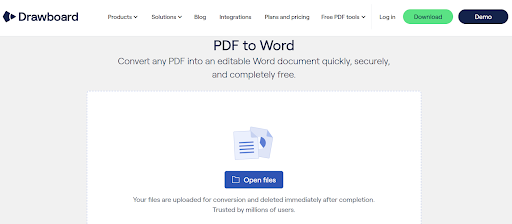
This tool converts PDF files into editable Word documents, allowing users to edit information in PDF files.
For marketers, a PDF to Word converting tool is especially useful when dealing with files such as event schedules, press releases, or influencer content plans. These files are often received in PDF format.
By converting the PDF into Word format, they can easily copy the details and adapt them for a social media post. Also, they can use this extracted information for internal planning and client presentation. This helps save time and makes sure that all marketing content is used effectively, avoiding typing errors.
Key Features
- Allows converting multiple PDFs in a single attempt
- Keeps formatting intact
- Editable document output
- Opens in any word editing app
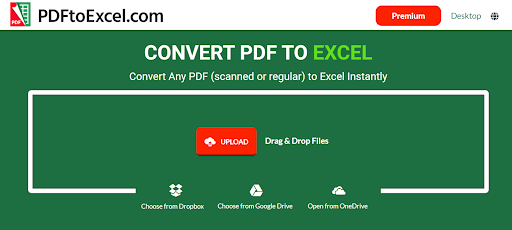
This tool converts PDF files containing tabular data into Excel sheets, keeping the structure and formatting intact.
Marketing teams commonly receive reports such as performance metrics, customer surveys, or sales summaries in the form of PDFs. Editing or transferring this data to other files is not typically possible with a PDF file.
However, it is possible with a PDF to Excel converter. It helps transfer the data directly into Excel. This helps marketers sort and filter the extracted information, and they can also use this information to create charts or insights for reports and presentations.
Key Features
- PDF table extraction
- No sign-up or downloading required
- Maintains table structure
- Quick file conversion
Final thoughts
OCR-based conversion tools allow digital marketers to access data locked in images or PDFs. They can use this data for various purposes such as content reuse, reporting, analysis, and campaign planning. Instead of retyping everything from scratch, they can convert images or PDFs with the help of online converters, as mentioned above. Each tool fulfills a specific conversion need.
From my experience, pairing a few tools based on specific tasks helps improve the workflows of digital marketers. Also, this enables easy handling of content without slowing down ongoing marketing tasks.