
By Leo Antony Raj, Senior Trainer, Systech Group 20+ years in networking and cybersecurity · Updated November 2026.
6 Min read
In short
To enable communication between two TCP-based routers, configure valid IP addresses, ensure interfaces are active, establish routing between the networks, verify return routes, and allow the required TCP ports through ACLs or firewalls. Test connectivity using ping, routing-table checks, and TCP port testing. TCP does not need to be changed when the issue is caused by incorrect routing, blocked ports, or application configuration.
Table of Contents
How do you enable communication between two routers when the application uses TCP and the protocol cannot be changed? The answer is to check the underlying network configuration, including IP addressing, routing tables, network connectivity, firewall rules and TCP port availability.
TCP (Transmission Control Protocol) provides reliable communication between applications. IP (Internet Protocol) handles addressing and packet delivery across networks. Routers primarily forward IP packets, including packets carrying TCP data.
Therefore, when two routers cannot support the required TCP communication, changing TCP is not normally necessary. Instead, the network must provide a valid path between the source and destination, and security rules must permit the required traffic.
For example, a client on one network may need to connect to a server on another network using HTTPS over TCP port 443. Even when both networks are connected through routers, the connection may fail if a route is missing, an ACL blocks the port, or the server is unavailable.
This guide explains how to enable communication between two routers, configure IP addresses and static routes, verify TCP connectivity, troubleshoot common problems and understand when additional technologies such as NAT may be required.
These concepts are also useful for learners exploring practical networking and Cyber Security Training in Chennai, where understanding network communication helps build a foundation for identifying and resolving connectivity and security issues.
What Does Communication Between Two TCP-Based Routers Mean?
The expression “TCP-based routers” is not technically precise because routers generally use IP to forward packets rather than TCP as their primary forwarding protocol.
The requirement usually means that two routers must carry traffic for an application that uses TCP, or that a TCP-based management service must be accessible across the network.
TCP operates at the transport layer and establishes connections between application endpoints. IP operates at the network layer and delivers packets between IP addresses.
For successful TCP communication across two routers, several conditions must be satisfied:
- The source and destination devices must have valid IP configurations.
- The routers must have working interfaces and network connectivity.
- The routing tables must contain valid paths to the destination networks.
- The destination must have a valid return path to the source.
- Firewalls and access control lists must permit the required traffic.
- The destination application must be running and listening on the expected TCP port.
If the existing application requires TCP, these requirements should be checked without changing the application protocol.
How Does TCP Communication Work Across Two Routers?
TCP communication depends on several networking processes working together.
1. IP addressing identifies the devices
Each device needs a valid IP address and subnet mask. The subnet mask helps determine whether the destination is on the local network or must be reached through a router.
2. Routing determines the packet path
When a source device sends data to a remote network, it typically forwards the packet to its default gateway. The router checks its routing table and selects the appropriate next hop.
3. TCP establishes the connection
TCP normally establishes a connection using a three-way handshake:
- The client sends a SYN packet to request a connection.
- The server responds with SYN-ACK.
- The client sends ACK to complete the handshake.
After the connection is established, the application can exchange data.
4. Security rules control access
An ACL or firewall may permit or deny traffic based on the source address, destination address, transport protocol and destination port.
5. Return traffic must reach the source
Communication must work in both directions. Even if the initial packet reaches the destination, the TCP connection may fail when the response cannot return to the client.
Understanding these stages makes it easier to identify whether a problem originates from IP connectivity, routing, security restrictions, TCP connection establishment or the application itself.
Example Network Topology
Consider two Cisco routers connecting two separate LANs through a point-to-point network.
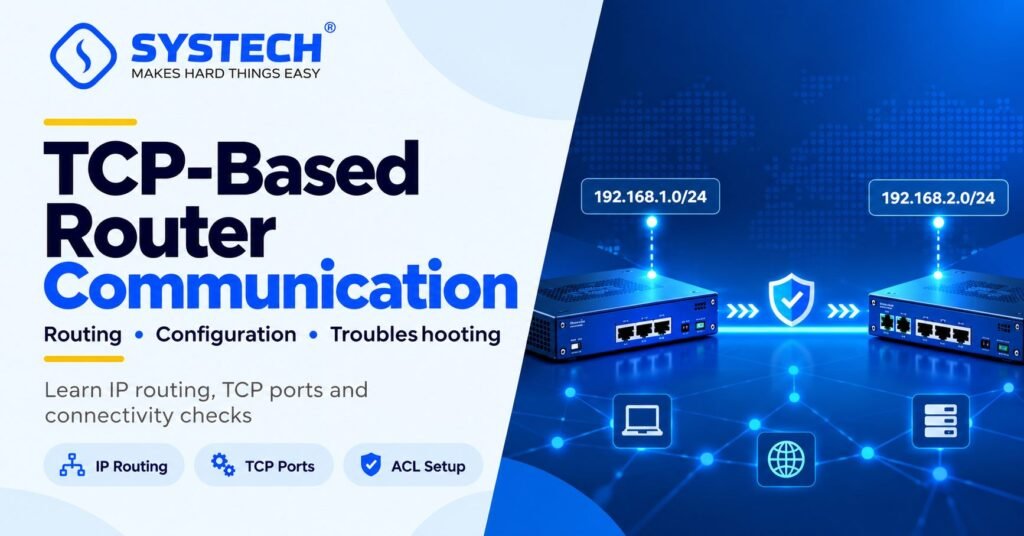
In this topology, Router A connects the 192.168.1.0/24 network to Router B through the 10.0.0.0/30 transit network. Router B connects the 192.168.2.0/24 network.
The objective is to establish a TCP application connection from the client at 192.168.1.10 to the server at 192.168.2.10.
Static routing is used in this example because it makes the configuration easy to understand. A real network may use static routes, OSPF, EIGRP or another supported routing method, depending on the existing design.
Step 1: Configure the Router Interfaces
The first step is to assign the correct IP addresses and subnet masks to the router interfaces.
Router A configuration
enable
configure terminal
interface GigabitEthernet0/0
ip address 192.168.1.1 255.255.255.0
no shutdown
exit
interface GigabitEthernet0/1
ip address 10.0.0.1 255.255.255.252
no shutdown
exit
end
Router B configuration
enable
configure terminal
interface GigabitEthernet0/0
ip address 192.168.2.1 255.255.255.0
no shutdown
exit
interface GigabitEthernet0/1
ip address 10.0.0.2 255.255.255.252
no shutdown
exit
end
These commands assume the interfaces exist on the selected router model and that the devices are connected according to the example topology.
After configuring the interfaces, verify their operational status:
show ip interface brief
The required interfaces should normally display an up/up status when the physical links and interface configurations are correct.
If an interface remains down, check the cable, interface status, connected device and any platform-specific requirements before proceeding to TCP troubleshooting.
Step 2: Configure Static Routes Between the Routers
After configuring the interfaces, each router must know how to reach the remote LAN.
Router A already knows its directly connected networks. However, it needs a route to the 192.168.2.0/24 network behind Router B.
Configure the following command on Router A:
configure terminal
ip route 192.168.2.0 255.255.255.0 10.0.0.2
end
This command instructs Router A to forward packets destined for 192.168.2.0/24 to the next-hop address 10.0.0.2.
Router B also needs a route back to the client network.
Configure the following command on Router B:
configure terminal
ip route 192.168.1.0 255.255.255.0 10.0.0.1
end
This creates a return route towards Router A’s LAN.
Verify the routing table on both routers:
show ip route
Confirm that Router A has a route to 192.168.2.0/24 and Router B has a route to 192.168.1.0/24.
Important: A working forward route alone does not guarantee successful TCP communication. The destination must also be able to return packets to the source.
For learners building practical routing skills, understanding this process is an important part of network configuration covered in broader Cyber Security Training in Trichy, where networking fundamentals support later security and troubleshooting tasks.
Step 3: Verify IP Connectivity Before Testing TCP
Before checking TCP ports, verify the underlying IP path.
From Router A, test the transit interface on Router B:
ping 10.0.0.2
Next, test Router B’s LAN interface:
ping 192.168.2.1
If the client and server are configured, test the destination server from an appropriate source:
ping 192.168.2.10
A successful ping can confirm IP reachability for the tested path. However, a failed ping does not always prove that TCP communication is impossible because ICMP may be blocked by security policies.
If the transit address is unreachable, check the interface status, IP address, subnet mask and physical connectivity.
If the transit link works but the remote LAN is unreachable, inspect the routing table, the destination gateway configuration and any security rules affecting the path.
Step 4: Allow the Required TCP Port
If IP connectivity is working but the application cannot establish a connection, check whether an ACL or firewall blocks the required TCP port.
For example, suppose the server at 192.168.2.10 provides an HTTPS service on TCP port 443.
The following Cisco IOS extended ACL permits TCP traffic from the specified client to the HTTPS server:
configure terminal
ip access-list extended ALLOW-HTTPS
permit tcp host 192.168.1.10 host 192.168.2.10 eq 443
exit
This creates an access rule. However, creating the ACL does not apply it to an interface.
If the intended policy is to filter traffic entering Router B’s LAN-facing interface, the ACL could be applied as follows:
interface GigabitEthernet0/0
ip access-group ALLOW-HTTPS in
Use this example only when the interface, direction and security policy match the actual network. A restrictive ACL can block other legitimate traffic if required rules are omitted.
Also check the server’s local firewall and confirm that the HTTPS service is listening on port 443. A router ACL cannot make an unavailable application start listening.
In a production environment, follow the existing security policy and permit only the traffic required for the intended application.
Step 5: Test the TCP Connection
After verifying routing and security rules, test the actual TCP service.
On a Windows system with PowerShell, run:
Test-NetConnection 192.168.2.10 -Port 443
This checks whether a TCP connection can be established to the specified server and port.
On a Linux system with Netcat installed, run:
nc -vz 192.168.2.10 443
Replace port 443 with the actual destination port used by the application.
If the TCP connection succeeds but the application still does not work, investigate application settings, DNS resolution, TLS certificates, authentication and server logs.
If the TCP connection fails, continue checking the route, ACLs, firewall configuration and service availability.
Step 6: Troubleshoot Common Communication Problems
The following table explains common problems when enabling TCP communication between two routers or across two routed networks.
A structured troubleshooting process helps isolate the actual fault without making unnecessary changes to the existing protocol or network design.
Useful Cisco Commands for Verification
The following commands help verify the configuration and identify possible network issues.
Command availability and syntax may vary by router model and operating system. Use the relevant device documentation when working with platforms other than Cisco IOS.
Does TCP Need to Be Changed to Enable Router Communication?
No. If an application requires TCP and the protocol cannot be changed, the normal approach is to correct the underlying network configuration.
Consider the following situations:
- Incorrect IP addressing: Correct the IP address or subnet mask.
- Missing routing information: Configure an appropriate static route or verify the existing dynamic routing protocol.
- Blocked application traffic: Review ACLs and firewall policies.
- Unavailable server: Check that the destination application is running and listening on the expected port.
- Overlapping IP addresses: Evaluate whether renumbering, NAT or another network design change is appropriate.
TCP and IP have different responsibilities. TCP supports reliable application communication, while IP addressing and routing provide the path through the network.
The key is to identify which part of the communication process is failing instead of changing a protocol that the application must retain.
When Is NAT Required?
Network Address Translation (NAT) is not automatically required when connecting two routers.
If the networks use unique, non-overlapping IP addresses and valid routes, ordinary routing is generally sufficient.
NAT may be needed when networks use overlapping IP ranges, when the design requires address translation or when a service must be accessed through a translated address.
For example, if two separate networks both use 192.168.1.0/24, a router cannot distinguish between the two networks using ordinary destination-based routing alone in a straightforward design. Network renumbering, NAT or another suitable architecture may be necessary.
NAT should be introduced only when the network requirements call for it. Incorrect translation rules can prevent return traffic from reaching the original source even when the forward path appears correct.
Not sure which route fits you?
Tell us your stream and what you are hoping for, and we will tell you honestly which option suits.
Get course detailsReal-World Applications of TCP Communication Between Routers
Remote administration
Network administrators may use SSH over TCP to access remote systems. The network must provide a valid path, and management access should be restricted to authorised sources.
Web application connectivity
A client on one network may need to access a web application on another network through TCP port 443. Routing, firewall policies and application availability must all be correct.
Network monitoring
Monitoring platforms may use TCP-based services to communicate with management systems or collect information from remote environments. Required ports should be permitted without unnecessarily exposing other services.
Enterprise application access
Applications hosted in a server network may need to communicate with clients or systems on other routed networks. Routing, application ports, security policies and return traffic must work together.
Cybersecurity and ethical hacking labs
In an authorised lab, learners can practise identifying why a TCP connection fails, verifying routes, examining ACLs and checking whether a service is reachable. These exercises help develop structured troubleshooting skills.
For learners interested in practical security testing and network troubleshooting, Ethical Hacking Training in Coimbatore provides a relevant course category to explore alongside networking fundamentals.
Conclusion
Enabling communication between two routers that carry TCP-based application traffic requires correct IP addressing, working interfaces, valid routes, appropriate security policies and an available destination service.
Start by checking the interfaces and transit connection. Verify the routing table on both routers, test IP reachability, inspect ACLs and firewall rules, and finally test the actual TCP port.
Do not change the application protocol when the underlying problem is a missing route, incorrect address, blocked port or unavailable service. A systematic troubleshooting process helps identify the cause, restore connectivity and preserve the intended network security.
For learners who want to understand network security monitoring and investigate connectivity-related security issues, SOC Training in Trichy is another relevant course option to explore.
Frequently asked questions
How do you enable communication between two TCP-based routers?
Configure valid IP addresses, verify the interfaces and transit connection, establish routes to the destination networks in both directions, and allow the required TCP traffic through relevant ACLs or firewalls. Confirm that the destination application is listening on the expected port.
Can two routers communicate without changing TCP?
Yes. TCP can remain unchanged while IP addressing, routing and security configuration are corrected. TCP does not replace the router’s IP forwarding function.
Why can two routers ping each other but not establish a TCP connection?
Ping uses ICMP, whereas TCP applications use TCP ports. A successful ping does not prove that the required application port is open. Check the firewall, ACL, server service and destination port.
Is static routing required between two routers?
No. Static routing is one option. A network may already use a dynamic routing protocol such as OSPF or EIGRP. The requirement is to ensure that valid routes exist to the destination and back to the source.
Does NAT enable communication between routers?
NAT translates IP addresses or, in some configurations, transport-layer ports. It may help resolve specific addressing or network design problems, but it is not required for every router-to-router connection.
Which TCP port should be allowed?
Allow the port required by the application. HTTPS commonly uses TCP port 443, and SSH commonly uses TCP port 22. Do not open every TCP port when only a specific service is required.
How can TCP connectivity be verified?
First verify IP connectivity and routing. Then test the actual destination TCP port using a suitable client tool, review ACL and firewall counters, and check the application logs if the connection still fails.
What should be checked if the TCP connection works only in one direction?
Check the return route, ACLs, firewall policies, NAT translations and source-dependent routing. TCP communication requires the response traffic to reach the original endpoint.
Is router configuration enough to establish a TCP connection?
Not always. The routers must provide the required network path, but the destination application must also be available, the TCP port must be permitted, and the client and server must be correctly configured.
Where can learners practise networking and security troubleshooting?
Learners can explore networking, security monitoring and practical lab exercises that develop IP routing, ACL configuration, TCP connectivity testing and systematic troubleshooting skills.
Written by
Leo Antony Raj
Senior Trainer · Networking, Cyber Security and Cloud
Leo Antony Raj has over 20 years of hands-on experience in hardware, networking, server configuration, ethical hacking and cloud computing. He has trained more than 10,000 students, and he teaches networking first, because every security and cloud role is built on it.