
By Leo Antony Raj, Senior Trainer, Systech Group 20+ years in networking and cybersecurity · Updated November 2026.
6 Min read
In short
Enable Protected Management Frames (PMF) on your router or wireless access point.
Choose WPA3-Personal where all required devices support it. WPA3 requires PMF.
If you use WPA2, check whether the router offers PMF as Optional or Required and select the setting based on device compatibility.
Update router and access point firmware, and remove obsolete security modes such as WEP and TKIP.
For business networks, use wireless intrusion detection or prevention (WIDS/WIPS) to identify suspicious activity.
Test older laptops, phones, printers and IoT devices after changing the wireless security settings.
Important technical clarification: PMF does not simply encrypt every management frame. It provides integrity and origin authentication for the robust management frames covered by the standard, helping prevent forged or replayed frames from being accepted.
Table of Contents
A Wi-Fi connection can drop even when the router is working and the internet service is available. One possible reason is a deauthentication attack, in which an attacker sends forged wireless management frames to make connected devices disconnect from an access point. The interruption can affect laptops, phones, smart devices and business operations.
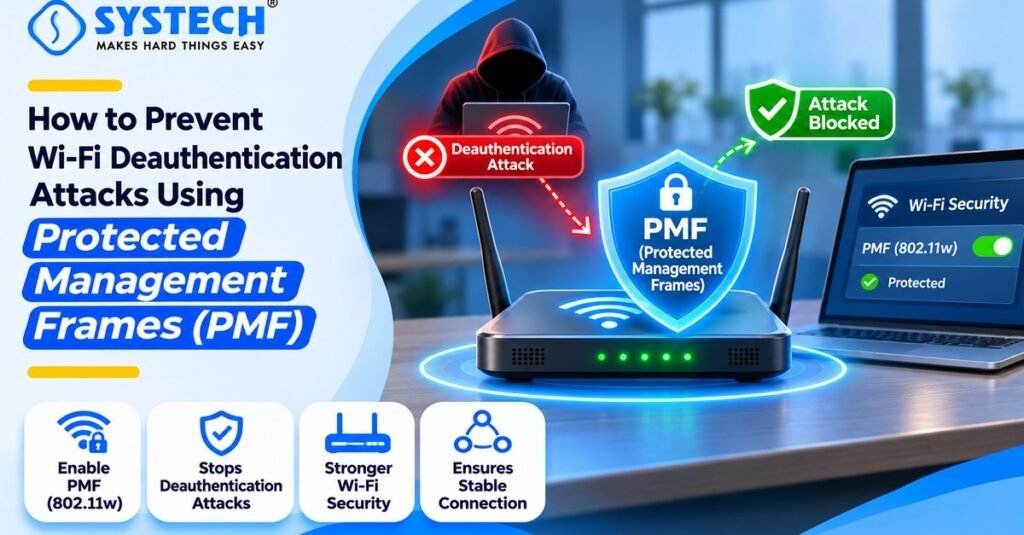
A strong first line of defence is Protected Management Frames (PMF), defined by IEEE 802.11w and supported in modern Wi-Fi security configurations. PMF adds cryptographic protection to selected management frames, helping devices reject forged deauthentication and disassociation messages. Using WPA3 where supported, updating firmware and monitoring wireless activity add further protection.
This guide explains what happens during a deauthentication attack, how PMF works, how to check and enable it, what Optional and Required mean, and how to verify that your wireless network is configured safely.
What Is a Wi-Fi Deauthentication Attack?
A Wi-Fi deauthentication attack is a wireless denial-of-service technique that attempts to disconnect a device from the access point it is using. The attacker sends a deauthentication management frame that appears to come from a legitimate device, such as the router or access point. If the receiving device accepts the forged frame, it may end its current wireless connection and begin reconnecting.
Wi-Fi uses management frames to establish, maintain and end connections. A deauthentication frame normally has a legitimate purpose: an access point or client may need to terminate a connection. The security problem appears when an attacker forges that message and sends it without authorisation.
What can an attacker achieve?
Interrupt internet access for one device or several wireless clients.
Disrupt online meetings, point-of-sale terminals, classroom systems or other Wi-Fi-dependent work.
Repeatedly force clients to reconnect, creating instability and user disruption.
In some attack scenarios, encourage a user to connect to a malicious or look-alike access point. Deauthentication alone does not create an evil twin, but it may be used as one step in a wider attack.
A deauthentication event is not automatically proof of an attack. Devices disconnect for ordinary reasons too, including weak signal, roaming, power saving, interference, access point restarts and configuration changes. Administrators should look for repeated or unusual patterns before deciding that an attack is taking place.
How Does a Deauthentication Attack Disconnect a Device?
A simplified attack sequence looks like this:
The attacker identifies a nearby wireless network and observes publicly visible wireless management traffic.
The attacker prepares forged deauthentication frames that imitate the network or a client device.
The forged frames are transmitted over the wireless channel.
A client that does not have effective management-frame protection may accept the unauthenticated frame.
The client disconnects and attempts to reconnect. The attacker may repeat the disruption.
The key weakness is trust. If a device cannot verify that a deauthentication message is authentic, it may act on a message that was created by an unauthorised sender.
What does the user experience?
Why Are Traditional Wi-Fi Management Frames Vulnerable?
Wireless networks use different frame types to move data and manage connections. Data frames carry user traffic. Management frames help devices discover access points, authenticate, associate, roam and disconnect. Historically, many management frames were transmitted without the cryptographic protection used for normal secured data traffic.
That design created an opportunity: an attacker within radio range could transmit a forged management message that looked as though it came from a legitimate network device. A receiver that had no way to validate the message might process it.
Not every management frame is protected by PMF. IEEE 802.11w focuses on a defined group called robust management frames. These include deauthentication, disassociation and selected robust action frames. Beacon and probe frames, for example, are not all made private or authenticated simply by turning PMF on.
Does Wi-Fi encryption alone stop deauthentication attacks?
No. WPA2 or WPA3 data encryption protects wireless data traffic, but management-frame protection addresses a different part of the connection. A network can use strong data encryption and still need PMF to protect the relevant management frames. That is why administrators should review both the Wi-Fi security mode and the PMF setting.
What Are Protected Management Frames (PMF) and 802.11w?
Protected Management Frames (PMF) is a Wi-Fi security feature standardised through IEEE 802.11w. It adds cryptographic protection to selected robust management frames exchanged between a client and an access point. This helps the receiving device check whether a protected frame is valid and reject forged or replayed messages.
PMF is also described in router interfaces as Management Frame Protection (MFP), 802.11w, or Protected Management Frames. The exact label depends on the manufacturer and firmware.
What does PMF protect?
How does PMF protect these frames?
PMF uses cryptographic mechanisms to provide integrity and origin authentication for protected management traffic. For group-addressed robust management frames, the Integrity Group Temporal Key (IGTK) and a Broadcast/Multicast Integrity Protocol (BIP) are used to help verify integrity and protect against replay. The details depend on the frame type and negotiated security association.
The practical point is simple: a client and access point that have successfully negotiated PMF can validate the protected management frames covered by the standard. A forged frame without the required cryptographic protection should not be treated as a legitimate disconnect instruction.
Does PMF encrypt management frames?
This is an important distinction. PMF is primarily about integrity, authenticity and replay protection for selected robust management frames; it does not mean every management frame is encrypted or hidden. Some management information remains observable over the air. Avoid describing PMF as encrypting all management communications.
How Does PMF Prevent Spoofed Deauthentication Attacks?
Without PMF, a client may receive a forged deauthentication frame and have limited ability to determine whether it came from the legitimate access point. With PMF negotiated, the network uses cryptographic protection for the relevant robust management frames. The receiver checks the protection before acting on the message.
If an attacker sends a forged deauthentication frame that lacks valid protection, the protected client or access point can reject it. PMF therefore reduces the effectiveness of spoofed deauthentication and disassociation attacks against connections where protection has been negotiated.
What PMF does not guarantee
It does not stop radio-frequency jamming or physical interference.
It does not prevent every possible wireless denial-of-service technique.
It does not protect every Wi-Fi management frame.
It does not replace strong authentication, secure passwords, firmware updates or network monitoring.
It cannot provide the intended protection for a client connection that has not negotiated PMF.
Treat PMF as an important control, not a complete wireless security solution.
WPA2 PMF Optional vs Required vs WPA3
One of the most important configuration decisions is whether PMF should be Optional or Required. The right choice depends on the Wi-Fi security mode, access point capabilities and the devices that need to connect.
Should you choose Optional or Required?
For a mixed environment with older laptops, printers, cameras or IoT devices, Optional may be a practical migration setting if the router supports it. It allows compatible clients to use PMF while giving administrators time to identify devices that cannot negotiate it. However, clients that do not negotiate PMF do not receive the same protection.
Required provides a stronger baseline because clients must support PMF to join. Before enabling it on a production network, test all important devices and confirm that the access point, controller and client drivers support the selected mode.
Is WPA3 better for deauthentication protection?
WPA3 is generally the preferred option for modern Wi-Fi networks when all required devices support it. WPA3-Personal requires PMF, so administrators do not normally need to treat PMF as an unrelated optional add-on in a correctly configured WPA3 network. Mixed WPA2/WPA3 transition modes can expose compatibility differences, so review the router’s documentation and test clients.
Do not assume every router menu uses the same wording. Some interfaces show PMF as Disabled, Capable and Required; others use Optional and Mandatory, or hide the setting when WPA3 is selected.
How to Check Whether Your Router Supports PMF
The location of the PMF option varies by router brand, model and firmware. Use the following safe checks before changing settings:
Find the router or access point model number from its label, administration page or device inventory.
Open the manufacturer’s official support page and check the manual or firmware release notes for PMF, MFP or IEEE 802.11w.
Sign in to the router’s administration interface using the trusted local management address or the vendor’s official app.
Open Wireless, Wi-Fi, WLAN or Security settings and select the SSID you want to review.
Look for WPA3-Personal, Management Frame Protection, PMF, MFP or 802.11w.
If the option is missing, check for a firmware update and confirm whether the hardware supports the feature.
Do not use a guessed menu path for every router. A setting may appear under Advanced Wireless, Security, WLAN Security, or per-SSID configuration depending on the vendor. Follow the exact manual for your model.
How to Enable PMF on a Router or Access Point
The following workflow is a vendor-neutral guide for a router or access point that you own or are authorised to manage. Menu names and available options differ by manufacturer.
Before changing the setting
Record the current SSID security mode and PMF setting so you can restore them if needed.
Make sure you have administrator access and a way to reconnect if the wireless configuration changes.
Check that the router firmware is current and that the client devices support the planned security mode.
For a business network, schedule a maintenance window and notify users before changing production SSIDs.
General configuration steps
Sign in to the router or wireless controller administration interface.
Open the wireless network or SSID configuration page.
Choose WPA3-Personal if supported by the router and all required clients. Otherwise, select a supported WPA2 mode with AES/CCMP and review the PMF controls.
Set PMF to Required when all clients support it and the network policy allows it. Use Optional as a transition setting where legacy compatibility is necessary.
Save or apply the configuration. Some access points may restart the wireless service.
Reconnect a test laptop and phone, then test printers, scanners, cameras and other important devices.
Review connection logs and confirm that the expected devices have joined using the intended security mode.
Example: configuring PMF in an enterprise Wi-Fi controller
In an enterprise controller, PMF is commonly configured at the WLAN or SSID security level. An administrator selects the wireless network, opens its security settings, enables 802.11w or Management Frame Protection, and chooses an Optional or Required mode if the platform exposes those choices. The exact steps depend on the controller software release and deployment design.
WatchGuard’s Wi-Fi Cloud guidance, for example, describes enabling 802.11w under the selected SSID’s Security settings and explains the compatibility difference between Optional and Required. That procedure applies to its own platform and should not be copied as a universal router menu path.
What If Older Devices Stop Connecting?
A device may fail to connect after PMF is set to Required if its Wi-Fi chipset, operating system, driver or firmware does not support the negotiated protection. This is especially important in environments with older printers, scanners, smart TVs, cameras, industrial devices and IoT equipment.
How to handle compatibility safely
Check whether the device manufacturer offers a firmware or driver update that adds PMF or WPA3 support.
Test the device on a separate test SSID before changing the production network.
If the device is trusted but cannot yet support PMF, consider a separate legacy SSID with restricted access and appropriate network segmentation.
Use Optional only when the security policy accepts that some clients may connect without PMF.
Plan to replace unsupported devices rather than leaving the main network in a weaker configuration indefinitely.
Avoid lowering security for every user just to support one outdated device. A separate, restricted network is often a better temporary approach, especially for IoT equipment that does not need access to internal business systems.
Other Ways to Strengthen Wi-Fi Deauthentication Attack Prevention
PMF is a key control, but effective Wi-Fi Deauthentication Attack Prevention should combine secure configuration, device maintenance and monitoring.
Use WPA3 and strong Wi-Fi encryption
Use WPA3-Personal where supported. If WPA2 is required for compatibility, use a modern AES-based configuration and avoid WEP, WPA legacy modes and TKIP. Choose a long, unique Wi-Fi passphrase and change it if it has been exposed.
Keep router and access point firmware updated
Firmware updates can address security weaknesses, improve stability and add support for newer Wi-Fi features. Review vendor security notices and install updates from the official manufacturer. Replace equipment that no longer receives security updates or cannot support the protection your environment requires.
Monitor wireless activity with WIDS/WIPS
Wireless Intrusion Detection Systems (WIDS) and Wireless Intrusion Prevention Systems (WIPS) can help identify suspicious wireless behaviour, including unusual management-frame activity, rogue access points and repeated client disconnections. Capabilities vary by product. Detection does not always mean the system can stop an external transmitter or prevent every frame from being sent.
Secure client devices
Keep operating systems, Wi-Fi drivers and device firmware updated.
Disable automatic connection to unknown or untrusted open networks where practical.
Remove saved networks that are no longer needed.
Use endpoint security and device management controls for business laptops and mobile devices.
Teach users to verify the network name before joining a public or unfamiliar Wi-Fi network.
Use Ethernet for critical fixed devices
Where practical, connect critical fixed equipment such as servers, core infrastructure and important workstations through wired Ethernet. This reduces dependence on wireless availability for those systems. Wired connections do not remove all network risks, but they avoid Wi-Fi management-frame attacks against that wired connection.
Segment guest and IoT networks
Place guest devices and IoT equipment on separate network segments with limited access to internal resources. Segmentation does not prevent a radio-level attack, but it can reduce the impact if an IoT device is compromised or misconfigured.
Not sure which route fits you?
Tell us your stream and what you are hoping for, and we will tell you honestly which option suits.
Get course detailsHow to Verify That PMF Is Working
After enabling PMF, verify the configuration rather than assuming that saving the setting completed the deployment.
A successful connection test confirms that a device can join the network; it does not, by itself, prove that every PMF protection is functioning correctly. Use the access point’s negotiated security details, controller logs or vendor diagnostics to confirm the actual PMF status.
Common Problems and Troubleshooting
How to distinguish an attack from a normal Wi-Fi issue
Look for patterns across multiple sources. A single disconnect is not enough to confirm an attack. Check whether multiple clients disconnect at the same time, whether the access point logged a restart or channel change, whether signal quality dropped, and whether wireless monitoring reports unusual deauthentication or disassociation frames. Record timestamps and affected devices so the network team can correlate events.
Recommended Tools for Defensive Wireless Monitoring
Use monitoring tools as part of an authorised defensive process. A packet capture or alert should be interpreted with network context; do not treat every deauthentication frame as malicious without checking the surrounding events.
Practical Wi-Fi Protection Checklist
The router or access point supports PMF/802.11w.
WPA3-Personal is enabled where compatible.
If WPA2 is used, PMF is enabled according to the organisation’s compatibility and security requirements.
The PMF policy is consistent across access points broadcasting the same SSID.
All important client devices have been tested after the change.
Router and client firmware are updated.
WEP, WPA legacy modes and TKIP are not being used.
Guest and IoT devices are separated from sensitive internal systems.
Wireless monitoring and logging are enabled where available.
Unexpected disconnect events are investigated using evidence from multiple sources.
Frequently asked questions
What is the best way to prevent a Wi-Fi deauthentication attack?
Enable Protected Management Frames (PMF) on supported wireless networks and use WPA3 where compatible. Keep router firmware updated and monitor suspicious wireless activity. PMF reduces forged deauthentication and disassociation attacks, but it does not stop every form of wireless disruption.
What is PMF in Wi-Fi?
Protected Management Frames (PMF) is a Wi-Fi security feature based on IEEE 802.11w. It adds cryptographic integrity and authentication protection to selected robust management frames, including deauthentication and disassociation frames.
Is PMF the same as 802.11w?
PMF is the protection service introduced by the IEEE 802.11w amendment. Router interfaces may label the setting as PMF, MFP, Management Frame Protection or 802.11w.
Does WPA3 protect against deauthentication attacks?
WPA3-Personal requires PMF, which helps protect supported connections against forged deauthentication and disassociation frames. WPA3 does not prevent every wireless denial-of-service method, such as radio-frequency jamming.
Should PMF be Optional or Required?
Required offers stronger enforcement because only clients that negotiate PMF can connect. Optional can help during a transition when older devices do not support PMF. Test client compatibility and follow the network’s security policy before choosing.
Does PMF encrypt all Wi-Fi management frames?
No. PMF provides integrity, origin authentication and replay protection for selected robust management frames. It does not encrypt every management frame or hide all wireless management information.
Can an old router support PMF?
Some older routers and access points support 802.11w through a firmware update, while others do not. Check the exact model’s official documentation and firmware notes. If support is unavailable, consider replacing the equipment.
Can PMF stop Wi-Fi jamming?
No. PMF helps reject forged protected management frames. It cannot stop an attacker from creating radio interference or physically jamming the wireless channel.
How can I tell whether my Wi-Fi network uses PMF?
Check the router or controller’s SSID security configuration and, where available, review the negotiated security details or client association logs. A successful Wi-Fi connection alone does not confirm PMF negotiation.
Do home users need WIDS or WIPS?
Most home users can start with WPA3 or PMF, updated router firmware, strong passwords and secure device settings. WIDS/WIPS is more useful in larger or business wireless environments that need central monitoring and response.
Learn Wireless Networking and Cybersecurity with SYSTECH
Understanding wireless security requires more than knowing where a router setting is located. Network professionals need to understand Wi-Fi standards, access point configuration, authentication, wireless monitoring, troubleshooting and the way different devices communicate.
Learners who want to build practical networking and security knowledge can explore SYSTECH’s training options:
Cybersecurity Course in Trichy
Ethical Hacking Course in Trichy
Explore the course details to understand the available practical training, networking topics and cybersecurity learning paths. Choose a programme based on your current knowledge and career goals.
Final Thoughts
A deauthentication attack targets the availability of a Wi-Fi connection by abusing management messages that devices use to end wireless sessions. Protected Management Frames (PMF), based on IEEE 802.11w, help address this weakness by allowing supported clients and access points to validate selected robust management frames before acting on them.
For stronger Wi-Fi Deauthentication Attack Prevention, enable PMF, prefer WPA3 where compatible, keep firmware updated, review older client devices and monitor wireless activity. In mixed environments, plan the move from Optional to Required carefully so that security improves without unexpectedly disconnecting essential devices.
The most reliable approach is a combination of secure wireless configuration, compatible equipment, continuous monitoring and regular verification.

Written by
Leo Antony Raj
Senior Trainer · Networking, Cyber Security and Cloud
Leo Antony Raj has over 20 years of hands-on experience in hardware, networking, server configuration, ethical hacking and cloud computing. He has trained more than 10,000 students, and he teaches networking first, because every security and cloud role is built on it.