
By Leo Antony Raj, Senior Trainer, Systech Group 20+ years in networking and cybersecurity · Updated October 2026.
7 Min read
In short
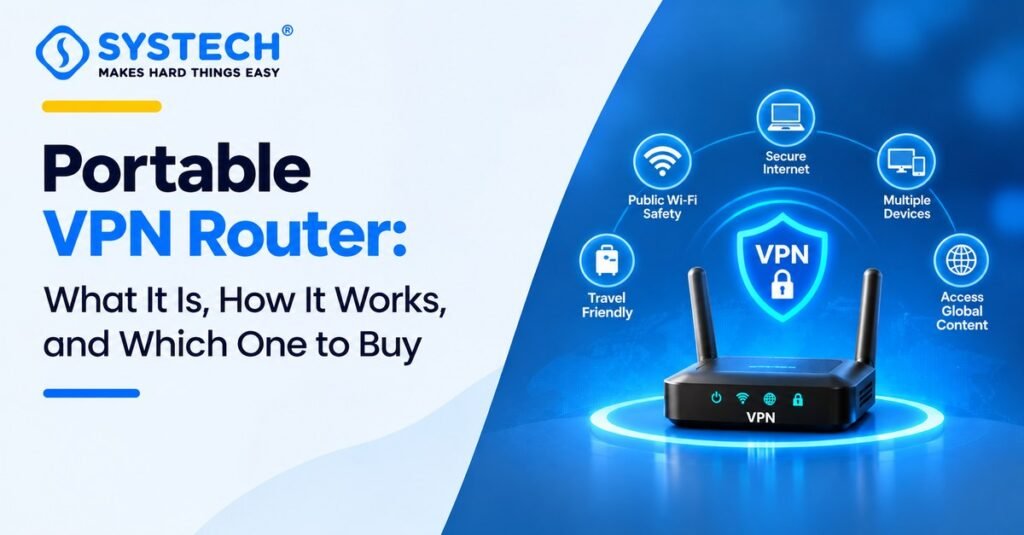
A portable VPN router is a small, travel-size Wi-Fi router that has a VPN built in. You plug it in, connect it to hotel Wi-Fi, a mobile hotspot, or an Ethernet cable, and turn on the VPN. After that, every phone, laptop, tablet, and Smart TV that joins its Wi-Fi is protected by the VPN. You do not need to install a VPN app on each device.
What it does: It sends all your devices’ internet traffic through one safe VPN tunnel.
What it needs: An internet source (hotel Wi-Fi, Ethernet, or a phone hotspot) and a VPN service.
What it does not do: It does not give you free internet. It only protects the internet you already have.
Best for: Frequent travellers, remote workers, and anyone who uses hotel or public Wi-Fi.
Popular choices: GL.iNet Beryl AX, GL.iNet Slate AX, and Cudy TR3000 AX3000.
Table of Contents
The Problem: Why Hotel and Public Wi-Fi Is a Headache
Hotel, airport, and café Wi-Fi is easy to use, but it is not safe or simple. Here are the problems most travellers face:
- Other people share the same network. Someone on the same Wi-Fi may be able to watch your traffic or set up a fake Wi-Fi with a name that looks real. This is why hotel Wi-Fi security matters.
- Device limits. Many hotels let you log in on only one or two devices. Extra devices may cost extra money.
- Login pages on every device. Most hotels ask you to sign in on a web page (called a captive portal). You must do this again on your phone, laptop, and tablet.
- VPN apps do not work everywhere. Smart TVs, game consoles, and streaming sticks often cannot run a VPN app. Many office laptops also do not allow you to install one.
- Too many apps to manage. Even when apps work, you must switch them on and keep them updated on every device.
A portable VPN router solves most of these problems with one small device.
The Solution: How a Portable VPN Router Works
A portable VPN router works in three easy steps:
- It connects to the internet. It joins hotel Wi-Fi, a phone hotspot, or an Ethernet cable.
- It connects to a VPN. It builds an encrypted tunnel to a VPN server. Encrypted means your data is scrambled so others cannot read it.
- It shares safe Wi-Fi. Your devices join the router’s own Wi-Fi network. All their traffic goes through the VPN tunnel.
Want to understand how routers, IP addresses, and switches really work? A networking course in Chennai explains this step by step. For now, think of it like this: the hotel Wi-Fi is a public road. The VPN router is a private, covered tunnel built on top of that road. Your devices only travel inside the tunnel.
A nice bonus: when you check your public IP address on a connected phone, you will see the VPN server’s IP address instead of the hotel’s. The phone does not need a VPN app for this.
Why Do You Need a VPN Travel Router?
Secure Hotel Wi-Fi Connections
The router encrypts your traffic before it reaches the hotel network. Other guests and the hotel cannot easily see what you do online. This is a big help when you check email, bank apps, or office tools while travelling.
Protect Multiple Devices
One VPN connection on the router covers your phone, laptop, tablet, Smart TV, and even a game console. Many VPN apps limit how many devices you can use at once. A router counts as one device, so you can protect many more.
Support Remote Work
If you work while travelling, a VPN travel router for remote work gives you a steady, safer connection. It also helps when your office laptop does not allow you to install extra apps. The router does the VPN job, so the laptop stays as it is. Always check your company’s IT rules first.
Log In Once, Not Many Times
You can finish the hotel login page once on the router. After that, your other devices join the router’s Wi-Fi and get online without another login. This also helps you stay within a hotel’s device limit.
Best Portable VPN Routers to Consider
There are many travel WiFi router models, but these three are popular and easy to start with. All three run on or support OpenWrt-based software, and all support WireGuard and OpenVPN.
Please check the latest specs and price on the product page before you buy, because makers update models from time to time.
GL.iNet Beryl AX
The Beryl AX is a very popular Wi-Fi 6 travel router. It is small enough for a pocket, comes with OpenWrt-based software, and handles WireGuard and OpenVPN well. It also has a fast 2.5G port and a USB port. It is a strong pick if you want one router for hotels, offices, and home.
GL.iNet Slate AX
The Slate AX is a little larger and gives you more wired ports. This is helpful if you want to plug in a laptop, a work desktop, or a small switch in a hotel room. It supports OpenVPN and WireGuard and is easy to set up.
Cudy TR3000 AX3000
The Cudy TR3000 is a pocket-size Wi-Fi 6 router with a 2.5G port. It supports OpenVPN and WireGuard and has more than one operating mode, such as repeater, WISP, and hotspot. It is a good fit if you want a compact mini VPN router with fast ports.
On a tight budget? The GL.iNet Mango (GL-MT300N-V2) is a small and low-cost travel router. It uses older, slower Wi-Fi, so it suits light use like browsing and email.
Quick Answers to Common Questions
Is it worth putting a VPN on a router?
Yes, if you travel often or have many devices. One setup protects all of them, including devices that cannot run a VPN app.
What are the downsides of a VPN on a router?
You need to buy a router. Your speed can drop a little because the router must scramble every packet. A weak router will slow down more than a strong one. Setup also takes a few minutes the first time.
Do I need a VPN subscription too?
Yes, in most cases. The router is the tool, and the VPN service is the tunnel. You can also use your own VPN server if you have one.
Can a portable VPN router give me free internet? No. It needs an internet source such as hotel Wi-Fi, Ethernet, or a mobile hotspot.
Can I use it with a Jio or Airtel 5G SIM?
Yes, through your phone. Turn on your phone’s hotspot and connect the router to it, or use USB tethering. These travel routers usually do not have a SIM slot.
How much does a travel router cost?
Prices depend on the model and the Wi-Fi type. Basic models cost less, and Wi-Fi 6 models with fast ports cost more. Check the current price before you buy.
Portable VPN Router vs Normal VPN App
Our simple advice: If you only use one phone, a VPN app is enough. If you travel with two or more devices, or you work on a laptop you cannot change, a portable VPN router is the better choice.
Features to Check Before Buying (Technical Guide in Simple Words)
Wi-Fi 6 and AX3000
Wi-Fi 6 is a newer Wi-Fi type. It handles many devices at the same time better than older Wi-Fi. “AX3000” is a speed label. It means the router can reach up to about 3000 Mbps if you add up all its Wi-Fi bands. Real speed is lower, and your hotel internet will usually be the slowest part. A Wi-Fi 6 travel router is a good choice if you have many devices.
WireGuard and OpenVPN
These are two VPN types, also called protocols.
- WireGuard: Newer, faster, and lighter. It is usually the best choice on a small router.
- OpenVPN: Older and very common. It works in more places but is often slower.
Choose a router that supports both. Then you can switch if one does not work on a certain network. If you want to learn how these protocols work inside real networks, a CCNA course in Chennai is a good next step.
Port Forwarding
Port forwarding lets someone from the internet reach a device or service in your network, such as a game host, a camera, or a small server. Most travellers do not need it. Remote workers, gamers, and people who host things do. If you need it, read the advanced section below.
Multi-Device Connectivity
Check how many devices the router can handle at once. A compact router can usually serve a phone, laptop, tablet, and TV with no trouble. If you also plan to plug in wired devices, check the number of LAN ports.
Power and Size
Choose a router that runs on USB-C so that you can power it from a power bank or a laptop port. Smaller is easier to carry, but very small models may have fewer ports.
Advanced Topic: OpenWrt, NAT, and Port Forwarding
What Is OpenWrt?
OpenWrt is free, open-source software for routers. It is based on Linux. Many GL.iNet routers use it behind a friendly screen, so you get easy buttons and also deep control when you need it. With it you can add VPN settings, set a Wi-Fi name (SSID) and password, filter ads with tools like AdGuard Home, and more. In a common demo, a user adds an OpenVPN file, sets a new Wi-Fi name and password, and connects a phone to it. The phone then shows the VPN server’s public IP, and no VPN app is installed on the phone.
What Is NAT?
NAT (Network Address Translation) is how your router lets many devices share one internet address. It also affects online games and hosting. NAT types are often shown like this:
- Open NAT: Best. Other players and services can reach you easily.
- Moderate NAT: Fine for most games, but some connections may fail.
- Strict NAT: Hard to connect. You may not be able to join some game lobbies or host.
A VPN can change your NAT type. People who enjoy this kind of network testing often move into an ethical hacking course in Chennai later. Some VPNs make it strict, and some offer port forwarding to help.
Why Port Forwarding Can Fail on Mobile Internet
Many mobile networks (including 4G and 5G) share one public address among many users. This is called CGNAT. Because of it, port forwarding on your own router often does not work on a mobile hotspot. A VPN service that offers port forwarding can solve this, because it gives you a forwarded port on its own server. This is usually simpler than renting and running your own server.
VPN Provider Comparison for Travel Routers
The router needs a VPN service to connect to. Two well-known choices are Proton VPN and PureVPN. Always check each provider’s website for the latest price, plans, and features.
Prices checked from provider and review pages. They change often, so please check the provider site before you buy.
How to choose: If you only want safe browsing in hotels, any trusted VPN with WireGuard is enough. If you need port forwarding for gaming or hosting, check that your plan includes it before you pay.
How to Connect a VPN Travel Router: Step-by-Step Setup
These steps work for most routers. Menu names may differ a little between brands.
Step 1: Power On and Open the Router Screen
Plug the router into a power bank or a wall adapter. Connect your phone or laptop to the router’s Wi-Fi (the name and password are printed on the router). Open the admin page shown in the manual and set a new admin password.
Step 2: Connect the Router to Hotel Wi-Fi (Repeater Mode)
In the router screen, choose the repeater (Wi-Fi to Wi-Fi) option. Pick the hotel Wi-Fi from the list and enter its password if there is one. If the hotel gives a wired port, you can use an Ethernet cable instead.
Step 3: Complete the Hotel Login Page
Most hotels show a login page. Open it from the router screen or from any device connected to the router, and enter your room number or code. You only need to do this once for the router.
Step 4: Add and Turn On Your VPN
Go to the VPN section. Add your WireGuard or OpenVPN file from your VPN provider, or sign in if your router supports your provider. Switch the VPN on. Turn on the kill switch if the router has one. A kill switch stops internet traffic if the VPN drops, so nothing leaks.
Step 5: Connect Your Devices and Test
Connect your phone, laptop, and TV to the router’s Wi-Fi. Then open an IP check website. You should see the VPN server’s location and not the hotel’s. Run a DNS leak test too, to be sure your traffic is not leaking.
Not sure which route fits you?
Tell us your stream and what you are hoping for, and we will tell you honestly which option suits.
Get course detailsCommon Problems and Easy Fixes
Which Portable VPN Router Should You Buy?
- Want the best all-round choice? Pick the GL.iNet Beryl AX.
- Need more wired ports? Pick the GL.iNet Slate AX.
- Want a small Wi-Fi 6 router with a 2.5G port? Pick the Cudy TR3000 AX3000.
- Only need light browsing on a budget? Look at the GL.iNet Mango.
Not sure which router fits your work and travel? Read the points above again, then pick one that matches your devices and budget.
Frequently asked questions
What is a portable VPN router?
It is a small Wi-Fi router with VPN support. It connects to hotel Wi-Fi or a hotspot and shares a VPN-protected Wi-Fi network with all your devices.
What is the best portable VPN router for travel?
The GL.iNet Beryl AX is a popular all-round choice. The Slate AX and the Cudy TR3000 are also good, depending on the ports and speed you need.
Is a portable VPN router better than a VPN app?
It is better if you use many devices or devices that cannot run a VPN app. For one phone, an app is enough.
Does a VPN router make my internet slower?
A little, because your data is scrambled and sent through a VPN server. A good Wi-Fi 6 router with WireGuard keeps the loss small.
Can I use it on hotel Wi-Fi with a login page?
Yes. Connect the router to the hotel Wi-Fi, finish the login page once, and your other devices can join the router’s Wi-Fi.
Do I need a VPN subscription?
Usually yes. The router carries the VPN, but you still need a VPN service or your own VPN server.
Can I host game lobbies or a small server through a VPN travel router?
Sometimes. It depends on your NAT type and port forwarding. Use a VPN that offers port forwarding, and check that your plan includes it.
Can I power POE with a power bank?
Yes. Most models run on USB-C power, so a normal power bank or laptop port works.
Is a VPN travel router safe for remote work?
It adds a strong layer of security on public Wi-Fi. Still, follow your company’s IT rules and keep your devices updated.
Is a portable VPN router legal in India?
Using a VPN is generally allowed in India for normal use, but rules can change. Use it for lawful work and travel only, and follow local laws and your workplace rules.
Final Thoughts
A portable VPN router puts the VPN on the router, so you protect every device at once, log in to hotel Wi-Fi only one time, and keep your office laptop untouched. It is small, easy to carry, and simple to set up with the steps above. Pick a Wi-Fi 6 model with WireGuard and OpenVPN support many of them run the free OpenWrt router software, add a trusted VPN service, and you are ready for hotels, airports, and cafés.

Written by
Leo Antony Raj
Senior Trainer · Networking, Cyber Security and Cloud
Leo Antony Raj has over 20 years of hands-on experience in hardware, networking, server configuration, ethical hacking and cloud computing. He has trained more than 10,000 students, and he teaches networking first, because every security and cloud role is built on it.