By Arjun Kumar, Senior Trainer, Systech Group 15+ years in Network Security and Cloud Architecture · Updated October 2026.
9 min read
In short
The best way to block Facebook Likes without blocking Facebook access is to use a security solution that supports application-level controls for specific actions. Standard firewalls and DNS filters generally cannot block only Likes while allowing employees to view posts. Depending on the available features, a next-generation firewall, HTTPS inspection or managed-device controls may help enforce this restriction. Test the policy to ensure employees can still browse posts, view images and use other permitted features. If the selected tool cannot identify and block the Like action, a more suitable application-control solution is required.
Table of Contents
Introduction
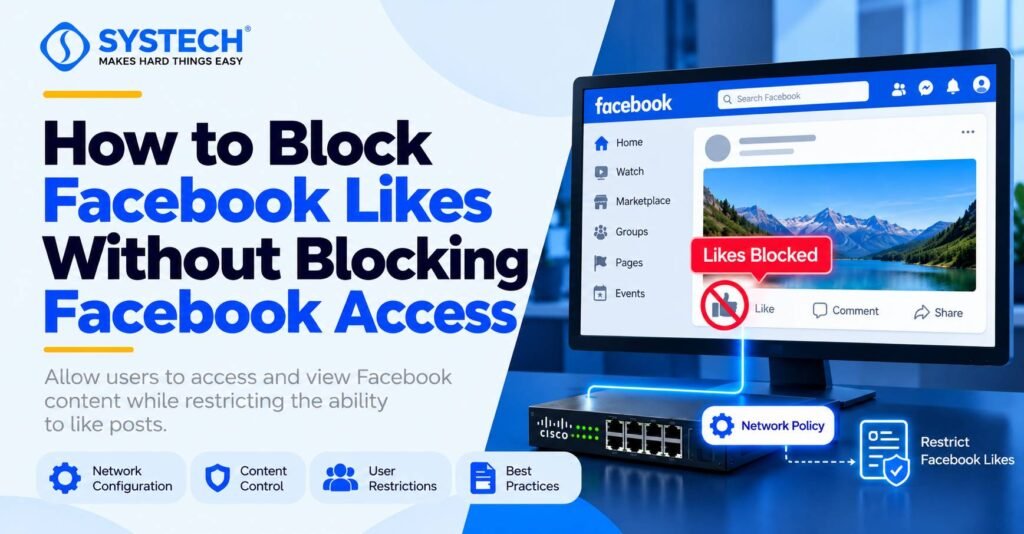
A company may want employees to browse Facebook posts during approved breaks while preventing them from liking posts, reacting to content or interacting with social media during working hours. In this situation, blocking the entire Facebook website is not the right solution because employees still need access to view content.
This type of restriction requires a clear understanding of network security, application control and web filtering. IT professionals learning through a CCNA course in Chennai can use this example to understand how network policies control traffic and why some application actions need more than basic firewall rules.
Can a network administrator block Facebook Likes only?
Yes, it may be possible with specialised application controls or managed-device policies, but a standard network firewall cannot reliably block only the Like button.
Facebook allows users to view posts and interact with them through Likes, reactions, comments and shares. These actions are managed by Facebook’s website or application.
A network administrator must distinguish between three different levels of control:
- Website filtering: Allows or blocks access to Facebook as a website.
- Application control: Identifies and controls supported applications or application functions.
- Browser or device control: Restricts particular user-interface actions on managed devices, where a supported policy or approved tool can enforce the restriction.
The correct method depends on the security products available, whether employees use browsers or mobile applications, and whether the organisation manages their devices.
Why does a normal firewall not block Facebook Likes?
A normal firewall mainly controls network traffic using rules such as source IP address, destination IP address, port number and protocol.
For example, a company may allow HTTPS traffic on TCP port 443 so employees can access secure websites. However, Facebook also uses HTTPS to protect communication between users’ devices and its servers.
When an employee opens Facebook, the browser may exchange encrypted data with Facebook’s servers. The network firewall can often identify the destination service, but it may not be able to identify the exact action the user performs inside the application.
Consider this example:
These actions can use the same website and encrypted connections. A basic firewall rule that blocks Facebook would also prevent employees from viewing posts.
For this reason, blocking a specific action requires a more detailed control than simply allowing or denying a website.
Method 1: Use next-generation firewall application control
A next-generation firewall (NGFW) can identify supported applications and, depending on the product, control specific application functions.
For example, Cisco Secure Firewall documentation explains that application filtering can restrict particular features of an otherwise permitted application. However, the available controls depend on the application signatures and product capabilities.
A network administrator can follow this process:
- Identify the firewall model and software version.
- Check whether its application-control feature recognises Facebook and supports the required action-level restriction.
- Create a policy for the relevant employee group.
- Keep Facebook browsing permitted while denying only the supported interaction function, if that specific control exists.
- Apply the policy to the intended users or devices.
- Test Facebook access and review the firewall logs.
Important: Do not assume that every firewall provides a rule to block Facebook Likes. Application control may identify Facebook as a service without distinguishing the Like action from viewing a post. If the product does not support this exact function, another method is required.
Administrators studying a cybersecurity course in Chennai can use this scenario to understand application-aware security, traffic inspection and access-control policy design.
Method 2: Use HTTPS inspection and web filtering
HTTPS inspection allows supported security gateways to examine selected encrypted web traffic. When properly configured, this can provide more information about requests than ordinary domain-based filtering.
However, HTTPS inspection does not automatically make it possible to block Facebook Likes.
A secure web gateway may inspect URLs and request content when the traffic is routed through its proxy and the required certificates and policies are configured. Cloudflare’s documentation describes these requirements for HTTP filtering.
The administrator should check the following:
- Whether the security gateway supports HTTPS inspection.
- Whether the organisation can manage the required browser or device certificates.
- Whether Facebook’s current web requests can be identified by a supported filtering rule.
- Whether the rule can distinguish a Like action from other permitted activity.
- Whether the policy works with the relevant browser, Facebook app and network protocol.
Why can HTTPS inspection still fail?
Facebook can change its website code, request formats and application behaviour. A rule based on a particular URL or request pattern may stop working after an update.
HTTPS inspection may also be restricted by privacy requirements, certificate pinning, application compatibility or technical limitations. Inspection must therefore be tested carefully and used only where permitted by company policy and applicable law.
Practical recommendation: Use HTTPS inspection only if the security product supports the required action-level filtering. Do not block guessed Facebook API URLs or server addresses because they may affect browsing, images, comments and other functions.
Method 3: Apply browser or managed-device restrictions
If the organisation manages employee computers, it can evaluate browser policies, approved extensions or endpoint controls that restrict supported website interactions.
For example, an organisation might use a managed browser policy or an approved extension to hide or disable Like buttons while allowing employees to view posts.
However, hiding a button is not the same as enforcing a security restriction. An employee may still be able to trigger the action through another interface, browser tools or the Facebook mobile app.
For a reliable implementation, the organisation should verify whether its selected tool can prevent the underlying action rather than simply hide the button.
A network administrator working on a related ethical hacking course in Chennai can explore how application behaviour, browser security and policy testing relate to this type of restriction.
Before deploying the solution, check that it:
- Works across all approved browsers.
- Covers every managed device on which the restriction is required.
- Prevents the action rather than only changing the page appearance.
- Does not interfere with viewing posts, images or other permitted features.
- Can be updated and maintained when Facebook changes its interface.
Method comparison which approach should the company choose?
The most suitable approach is the one that supports the exact restriction without affecting permitted browsing. In some environments, no available tool may provide reliable action-level control, and the company may need to change its requirements or use a supported application-management solution.
Method comparison which approach should the company choose?
After implementing a policy, the administrator should test both permitted and prohibited actions. Testing only whether Facebook opens is not enough.
Use a controlled test account and approved test devices.
If the Like action still works, check whether the policy applies to the correct user group, whether the traffic passes through the security gateway, and whether the selected tool supports that specific action.
Do not treat a hidden Like button as proof that the action has been blocked.
Not sure which route fits you?
Tell us your stream and what you are hoping for, and we will tell you honestly which option suits.
Get course detailsCommon mistakes to avoid
Blocking Facebook IP addresses: Facebook may use multiple servers and content delivery services. Blocking selected IP addresses can interrupt unrelated features without reliably preventing Likes.
Blocking all HTTPS traffic: HTTPS is used by many legitimate websites and business applications. Blocking it would affect much more than Facebook.
Blocking a guessed API endpoint: A request pattern that works today may change. A broad rule can also block viewing posts or loading other Facebook features.
Relying only on browser CSS: CSS can hide a button, but it does not necessarily prevent the browser from sending the underlying request. Use this only as a user-interface measure, not as proof of enforcement.
Ignoring mobile devices: A restriction that works in one desktop browser may not apply to the Facebook mobile app or another browser. Test every device type covered by the company’s policy.
Conclusion
To block Facebook Likes without blocking Facebook access, the network administrator must use a solution that can distinguish the Like action from normal browsing. A basic firewall, router or DNS filter is not enough. A suitable next-generation firewall, supported HTTPS inspection policy or managed-device control may help, but the exact capability must be verified and tested.
For IT professionals, this scenario is a useful way to understand the difference between network filtering and application-level security. Systech Group provides CCNA training in Chennai alongside networking and cybersecurity learning paths that help students build a foundation in network configuration, access control and troubleshooting.
Frequently asked questions
How can a company block Facebook Likes without blocking Facebook?
Use a security solution that supports application-level controls and specifically identifies the Like or reaction action. Configure and test the restriction while allowing normal browsing. Not every firewall supports this feature.
Can a Cisco firewall block Facebook Likes?
Some Cisco Secure Firewall configurations support granular controls for Facebook micro-applications. The administrator must check the available controls for the installed software version and confirm that the specific Like action can be blocked.
Can a normal firewall block Facebook reactions?
A basic firewall generally cannot distinguish a Like or reaction from other actions on the same encrypted website. A firewall with suitable application-aware inspection may provide more granular control.
Does blocking Facebook through DNS stop users from liking posts?
DNS filtering can block access to Facebook domains, but it does not normally block only the Like function. Blocking Facebook’s domains may also stop employees from viewing posts and images.
Can HTTPS inspection help restrict Facebook Likes?
Yes, if the security gateway supports the required inspection and application-level rule. HTTPS inspection alone does not guarantee that the Like action can be identified or blocked.
Can employees still view Facebook posts after the restriction?
Yes. The intended result is to allow browsing while denying the specified interaction. The administrator must verify that posts, images and other permitted content still load after applying the policy.
Will the restriction work on Facebook's mobile app?
Not necessarily. Mobile apps can behave differently from desktop browsers, and some use technical protections that limit traffic inspection. Test the mobile app separately and confirm that the selected security solution supports it.
How can an administrator confirm that Facebook Likes are blocked?
Test with an approved account by opening Facebook, viewing posts and attempting to Like a test post. Confirm that the action fails while browsing continues, then review the security logs and repeat the test on every covered device type.