
By Arjun Kumar, Senior Trainer, Systech Group 15+ years in Network Security and Cloud Architecture · Updated November 2026.
8 min read
In short
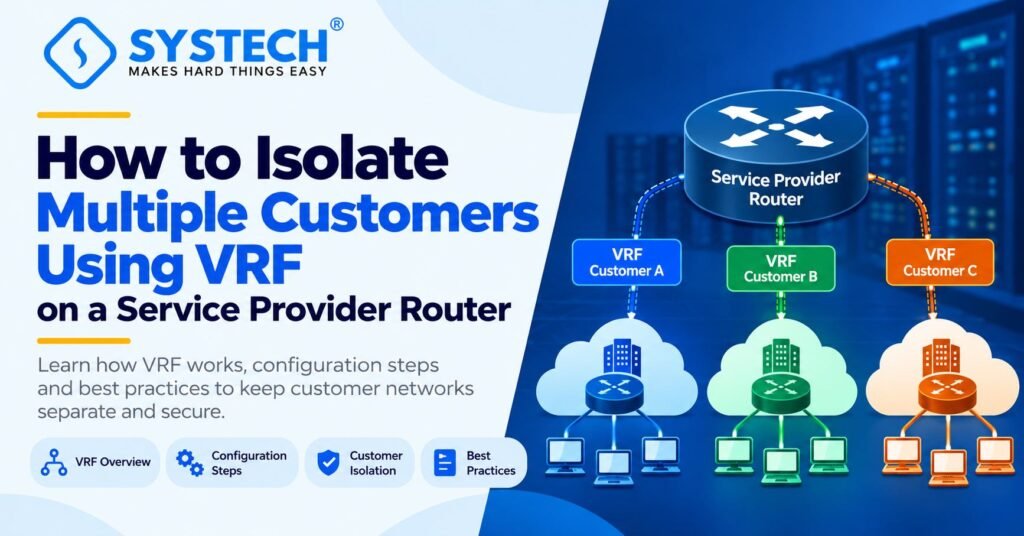
A service provider can use Virtual Routing and Forwarding (VRF) to connect multiple companies through one physical router while keeping their routing tables and traffic forwarding separate. By creating a separate VRF for each customer and assigning the correct router interfaces to it, the provider can support overlapping IP addresses without using ACLs or policy-based routing just to separate customer routing. Additional routing and security controls may still be needed for shared services or other network requirements.
Table of Contents
Introduction
Imagine a service provider managing network connections for 10 different companies. Each company needs a reliable network connection, but its traffic must remain separate from the traffic of other customers.
One traditional approach is to use separate physical routers for different customers. However, this can increase hardware costs, power use, maintenance work, and the effort needed to manage the network.
Another challenge appears when two companies use the same private IP address range. For example, both companies may use 192.168.1.0/24 for their office networks. A single shared routing table cannot treat the same destination prefix as two independent customer destinations within the same routing context.
This is where Virtual Routing and Forwarding (VRF) becomes useful.
VRF allows a supported router to maintain multiple independent routing tables. Each customer can have its own routing environment on the same physical device. The router uses the VRF assigned to the incoming interface to decide how to forward the customer’s traffic.
For network engineers learning router configuration, routing tables, and network isolation, these concepts build on the fundamentals covered in Systech Group’s networking and cybersecurity training in Chennai.
In this guide, you will learn what VRF is, why service providers use it, how to configure customer isolation on a Cisco router, how to verify the setup, and what to check when something goes wrong.
What Is VRF in Networking?
Virtual Routing and Forwarding, commonly called VRF, is a technology that allows multiple separate routing and forwarding environments to operate on one router.
A normal router generally uses a global routing table to decide where to send packets. When a router uses VRF, it can maintain additional routing tables for different customers, departments, or network services.
Each VRF has its own routing information. A route learned or configured in one VRF does not automatically become available in another VRF.
For example, a service provider can create these two routing instances:
- CUSTOMER_A for Company A.
- CUSTOMER_B for Company B.
The provider assigns Company A’s customer-facing interface to CUSTOMER_A and Company B’s interface to CUSTOMER_B. Each customer then uses the routing table associated with its own VRF.
This means that the provider can serve both companies through the same physical router without combining their customer routes in one shared routing table.
How Does VRF Work?
VRF works by linking a network interface to a particular routing instance. When a packet arrives on that interface, the router uses the relevant VRF to look up the destination and make a forwarding decision.
Consider this simple example:
Both companies use the same IP address range, but the router keeps the routes in separate routing tables.
When Company A sends a packet, the router looks up the destination in CUSTOMER_A. When Company B sends a packet, the router uses CUSTOMER_B.
The router does not automatically combine these routing tables. This is the main reason VRF is useful when a service provider needs to support multiple customers on shared hardware.
Why Do Service Providers Use VRF?
Service providers need a way to manage many customer networks without allowing their routing information to interfere with one another. VRF helps solve this problem while making better use of the available network equipment.
1. Keep Customer Routing Separate
Each customer can have its own routing table and forwarding context. The router makes forwarding decisions using the VRF assigned to the incoming interface.
For example, traffic arriving from Company A is handled using CUSTOMER_A, while traffic from Company B is handled using CUSTOMER_B.
This provides routing separation without requiring ACLs or policy-based routing merely to maintain separate routing tables.
2. Support Overlapping IP Addresses
Many businesses use private IP address ranges such as:
- 192.168.1.0/24
- 192.168.10.0/24
- 10.0.0.0/8
Two customers may use the same address range because private IP addresses can be reused across separate networks.
Without VRF, overlapping routes can create problems when both customers connect to a shared routing environment. With VRF, the same prefix can exist independently in different routing tables.
For example, 192.168.10.0/24 can be a connected route in both CUSTOMER_A and CUSTOMER_B, with each route pointing to a different interface.
3. Use One Physical Router for Multiple Customers
A supported router can host multiple VRFs. This can reduce the need for separate routers and simplify infrastructure management.
However, the router must have enough memory, processing capacity, interface resources, and software support to handle the required number of VRFs and routes.
4. Manage Customer Routes Independently
Each VRF can maintain its own connected routes, static routes, and supported dynamic routing configuration.
If Company A needs to reach one remote network and Company B needs to reach another, the provider can configure those routes in the appropriate VRFs without placing them all in the global routing table.
5. Support Service Provider VPNs
VRF is an important part of many service provider network designs, including MPLS Layer 3 VPNs.
In these networks, VRFs help maintain customer routing information at the provider edge. Additional mechanisms, such as route distinguishers, route targets, and MP-BGP, can distribute customer routes across the provider network.
VRF-Lite can also provide routing separation without requiring an MPLS VPN core.
Why Do Service Providers Use VRF?
Service providers need a way to manage many customer networks without allowing their routing information to interfere with one another. VRF helps solve this problem while making better use of the available network equipment.
1. Keep Customer Routing Separate
Each customer can have its own routing table and forwarding context. The router makes forwarding decisions using the VRF assigned to the incoming interface.
For example, traffic arriving from Company A is handled using CUSTOMER_A, while traffic from Company B is handled using CUSTOMER_B.
This provides routing separation without requiring ACLs or policy-based routing merely to maintain separate routing tables.
2. Support Overlapping IP Addresses
Many businesses use private IP address ranges such as:
- 192.168.1.0/24
- 192.168.10.0/24
- 10.0.0.0/8
Two customers may use the same address range because private IP addresses can be reused across separate networks.
Without VRF, overlapping routes can create problems when both customers connect to a shared routing environment. With VRF, the same prefix can exist independently in different routing tables.
For example, 192.168.10.0/24 can be a connected route in both CUSTOMER_A and CUSTOMER_B, with each route pointing to a different interface.
3. Use One Physical Router for Multiple Customers
A supported router can host multiple VRFs. This can reduce the need for separate routers and simplify infrastructure management.
However, the router must have enough memory, processing capacity, interface resources, and software support to handle the required number of VRFs and routes.
4. Manage Customer Routes Independently
Each VRF can maintain its own connected routes, static routes, and supported dynamic routing configuration.
If Company A needs to reach one remote network and Company B needs to reach another, the provider can configure those routes in the appropriate VRFs without placing them all in the global routing table.
5. Support Service Provider VPNs
VRF is an important part of many service provider network designs, including MPLS Layer 3 VPNs.
In these networks, VRFs help maintain customer routing information at the provider edge. Additional mechanisms, such as route distinguishers, route targets, and MP-BGP, can distribute customer routes across the provider network.
VRF-Lite can also provide routing separation without requiring an MPLS VPN core.
VRF vs ACL vs Policy-Based Routing
VRF, access control lists (ACLs), and policy-based routing (PBR) are different networking features. Understanding their roles helps explain why VRF is the right choice for this scenario.
The important difference: ACLs control which traffic is allowed or denied, while PBR can change how selected traffic is forwarded. VRF creates separate routing and forwarding environments.
A service provider can therefore use VRF as the main method of customer routing separation and add ACLs or other security controls when the network requires them.
Example: Two Companies Connected to One Service Provider Router
Let’s look at a practical scenario.
A service provider has two customers, Company A and Company B. Both companies use 192.168.10.0/24 in their office networks.
The provider wants to connect both companies through one Cisco router without changing their existing IP addresses.
Network Configuration
Company A
- VRF: CUSTOMER_A
- Router interface: GigabitEthernet0/0
- Router gateway: 192.168.10.1/24
- Customer network: 192.168.10.0/24
Company B
- VRF: CUSTOMER_B
- Router interface: GigabitEthernet0/1
- Router gateway: 192.168.10.1/24
- Customer network: 192.168.10.0/24
The router uses the same physical device to serve both customers. However, each customer interface belongs to a different VRF.
What Happens When Company A Sends Traffic?
Suppose a device in Company A sends a packet to another destination in Company A’s network.
- The packet reaches the router through GigabitEthernet0/0.
- The interface belongs to CUSTOMER_A.
- The router checks the destination using the CUSTOMER_A routing table.
- The router forwards the packet according to the route in that VRF.
Company B’s routing table is not automatically used for this packet.
When Company B sends traffic through GigabitEthernet0/1, the router uses CUSTOMER_B instead.
This is how VRF keeps the two customers’ routing information separate even though both use the same IP subnet.
Step-by-Step: How to Configure VRF on a Cisco Router
The following example uses Cisco IOS XE-style VRF-Lite configuration. Exact commands and available features depend on the router model and software version.
Step 1: Create a VRF for Each Customer
First, create two separate VRFs.
Router> enable
Router# configure terminal
Router(config)# vrf definition CUSTOMER_A
Router(config-vrf)# address-family ipv4
Router(config-vrf-af)# exit-address-family
Router(config-vrf)# exit
Router(config)# vrf definition CUSTOMER_B
Router(config-vrf)# address-family ipv4
Router(config-vrf-af)# exit-address-family
Router(config-vrf)# exit
What do these commands do?
- vrf definition CUSTOMER_A creates the routing instance for Company A.
- address-family ipv4 enables the IPv4 address family within that VRF.
- vrf definition CUSTOMER_B creates the separate routing instance for Company B.
At this point, both VRFs exist, but the customer-facing interfaces still need to be assigned to them.
Step 2: Assign the Interfaces to Their VRFs
Configure GigabitEthernet0/0 for Company A and GigabitEthernet0/1 for Company B.
Router(config)# interface GigabitEthernet0/0
Router(config-if)# vrf forwarding CUSTOMER_A
Router(config-if)# ip address 192.168.10.1 255.255.255.0
Router(config-if)# no shutdown
Router(config-if)# exit
Router(config)# interface GigabitEthernet0/1
Router(config-if)# vrf forwarding CUSTOMER_B
Router(config-if)# ip address 192.168.10.1 255.255.255.0
Router(config-if)# no shutdown
Router(config-if)# exit
The vrf forwarding command associates each interface with its customer routing instance.
Important: On supported Cisco platforms, assigning an interface to a VRF can remove its existing IP address. Apply the VRF assignment before the IP address, or reconfigure the address after the assignment.
After the configuration:
- GigabitEthernet0/0 belongs to CUSTOMER_A.
- GigabitEthernet0/1 belongs to CUSTOMER_B.
- Both interfaces use the same IP address and subnet mask.
- Each connected route belongs to its own VRF.
The interfaces must also be connected to the correct customer networks and be operational for the configuration to provide working connectivity.
Step 3: Verify the VRF Configuration
Use these commands to check the configured VRFs and their interfaces:
show vrf
show ip vrf interfaces
The exact commands available depend on the platform. On supported IOS and IOS XE versions, these commands help confirm that both VRFs exist and the correct interfaces are assigned.
You can also inspect the relevant running configuration:
show running-config
Check the VRF definitions, interface assignments, addresses, and interface status.
Step 4: Check Each Customer’s Routing Table
Use the following commands:
show ip route vrf CUSTOMER_A
show ip route vrf CUSTOMER_B
Both routing tables should show the connected route for 192.168.10.0/24 when the interfaces are configured correctly and operational.
The route in CUSTOMER_A points to GigabitEthernet0/0, while the route in CUSTOMER_B points to GigabitEthernet0/1.
Although the IP prefixes are identical, the router keeps them separate because they belong to different VRFs.
Step 5: Configure Routes to Remote Networks
Connected routes are enough for directly connected networks, but customers may also need to reach remote networks.
For example, suppose Company A needs to reach the remote subnet 10.10.10.0/24 through next hop 192.168.10.2.
A VRF-specific static route can be configured as follows on a compatible platform:
ip route vrf CUSTOMER_A 10.10.10.0 255.255.255.0 192.168.10.2
This route is added to CUSTOMER_A, not to the global routing table or automatically to CUSTOMER_B.
The next hop must be reachable through the intended VRF, and the route must match the actual network design. This is an illustrative command, not a required route for the directly connected example above.
For larger networks, service providers can use supported VRF-aware routing protocols instead of managing every remote route manually.
How to Test Whether VRF Is Working
After configuring VRF, do not assume that customer isolation is working just because the commands were accepted. Verify the interface assignments, routing tables, and actual traffic behaviour.
1. Check the Interface Assignments
Confirm that each customer interface belongs to the correct VRF.
An interface placed in the wrong VRF may send traffic into the wrong routing environment.
2. Inspect the Routing Tables
Run:
show ip route vrf CUSTOMER_A
show ip route vrf CUSTOMER_B
Check that each routing table contains the expected customer routes and that the connected prefixes point to the correct interfaces.
3. Test Reachability Within Each VRF
On a compatible Cisco platform, use VRF-aware ping commands:
ping vrf CUSTOMER_A 192.168.10.2
ping vrf CUSTOMER_B 192.168.10.2
Replace the example destination with an address that should be reachable from the respective customer network.
A successful ping shows that the destination can be reached using that VRF under the current configuration. It does not, by itself, prove that all unwanted paths between customers are blocked.
4. Check for Unintended Route Sharing
Review static routes, dynamic routing configuration, and any route leaking between VRFs.
If the service provider has configured shared services or inter-VRF connectivity, verify that only the intended routes and traffic can cross between customer environments.
5. Test the Customer Boundary
Confirm that traffic from Company A cannot reach Company B through an unintended path, and vice versa.
This should include checking the router’s routing tables, any shared interfaces or services, and relevant firewall or security policies.
VRF provides separate routing and forwarding contexts, but it should not be treated as a complete security solution for every possible access path.
Common VRF Configuration Problems and Solutions
A good troubleshooting process starts with the VRF definitions and interface assignments. Next, inspect the routing tables, confirm next-hop reachability, and then check any shared services or provider-core configuration.
VRF-Lite vs MPLS Layer 3 VPN
VRF can be used in a simple router configuration or as part of a larger service provider VPN.
VRF-Lite
VRF-Lite provides separate routing and forwarding tables without requiring an MPLS VPN core. It is useful when a router needs to support multiple customer routing environments locally.
For example, a router can maintain CUSTOMER_A and CUSTOMER_B without exchanging their routes through an MPLS VPN.
MPLS Layer 3 VPN
An MPLS Layer 3 VPN supports customer networks across a service provider’s wider network.
In this design, provider edge routers use VRFs to hold customer routes. Route distinguishers help make VPN routes unique, route targets control how VPN routes are imported and exported, and MP-BGP can distribute VPN routes between provider edge routers.
This is a larger design than simply creating two VRFs on one router.
The key difference: VRF-Lite provides local routing separation, while an MPLS Layer 3 VPN can extend customer routing separation across multiple provider routers using additional VPN mechanisms.
Conclusion
VRF allows a service provider to connect multiple companies through one physical router while keeping their routing tables and forwarding environments separate. It also allows customers to use overlapping private IP addresses without their routes automatically conflicting.
To implement this design, create a VRF for each customer, assign the correct interfaces, configure customer-specific routes, and verify the routing tables and traffic paths. Review any route leaking or shared services to make sure customer separation is maintained.
For networking learners, understanding VRF builds on the fundamentals of IP addressing, routing tables, static routes, and packet forwarding. To develop these skills further, explore Systech Group’s networking and cybersecurity training in Chennai, which covers practical networking and infrastructure topics.
Frequently asked questions
How can a service provider connect multiple customers using one router?
A service provider can create a separate VRF for each customer, assign each customer-facing interface to the correct VRF, and configure the required routes within each routing instance.
Can VRF isolate customers without ACLs?
Yes. VRF can provide routing and forwarding separation without ACLs being required merely to separate customer routing tables. ACLs may still be needed for additional traffic filtering or other security requirements.
Can two customers use the same IP address range in different VRFs?
Yes. Separate VRFs maintain independent routing tables, allowing the same private IP subnet to exist in multiple customer environments without the routes automatically conflicting.
Does VRF prevent all communication between customers?
Separate VRFs do not automatically share routes or forward traffic between their routing contexts. However, administrators must review route leaking, shared services, management access, and other possible paths to ensure that the overall design meets the required security level.
What is the difference between VRF and VLAN?
A VLAN separates Layer 2 broadcast domains, while a VRF separates Layer 3 routing and forwarding contexts. A network can use VLANs and VRFs together to provide separation at different layers.
Is VRF-Lite the same as an MPLS VPN?
No. VRF-Lite provides separate routing tables without requiring MPLS VPN transport. An MPLS Layer 3 VPN uses additional mechanisms to exchange customer routes across a service provider network.
Which commands are used to verify VRF on Cisco routers?
Common commands include show vrf, show ip vrf interfaces, show ip route vrf CUSTOMER_A, and show ip route vrf CUSTOMER_B. Command availability varies by platform and software version.
Can a single router support many VRFs?
Yes, if the router’s hardware and software support the required number of VRFs and routes. The practical limit depends on the platform, memory, processing capacity, and configuration.
Is VRF useful for enterprise networks as well as service providers?
Yes. Enterprises can use VRFs to separate departments, business units, management networks, or other network environments on shared routing equipment. The design must account for the required routes and any intended communication between those environments.